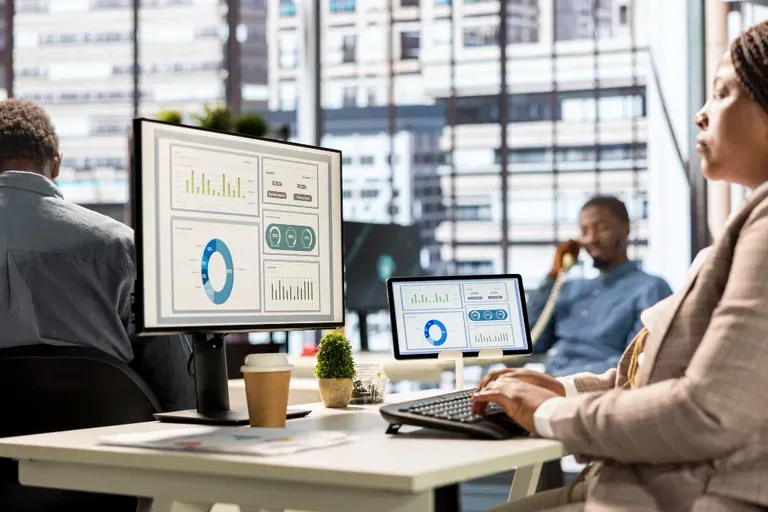
The best software for monitoring employees is one that balances visibility with trust — giving managers clear insight into productivity and security without making staff feel surveilled. For most B2B teams, the strongest employee monitoring software combines real-time activity tracking, productivity analytics, and easy integration with existing tools. Below, we break down what to look for in employee monitoring solutions, how a good productivity monitoring tool actually works, and why remote employee monitoring software has become a standard part of running distributed teams well.
If you're asking what is the best software for monitoring employees, the honest answer is: it depends on your team size, your compliance needs, and how transparent you want the process to be. This guide walks through the benefits, the best practices for rolling it out, and a comparison of the top employee monitoring software on the market today.
Benefits of Using Employee Monitoring Software
Not long ago, telling a colleague your company used monitoring software would raise eyebrows. It sounded like a trust problem waiting to happen.
That perception has shifted. With hybrid and remote work now standard across most industries, employee monitoring solutions have become less about suspicion and more about visibility — helping teams work better, not just watched more closely.
Enhancing Employee Engagement & Attendance
Good monitoring software tracks website and application usage to show how time is actually spent during the workday. This helps managers spot disengagement early, address attendance issues fairly, and understand which tasks are genuinely pulling focus.
Try OfficePortal free for 5 users
All-in-one HRMS — attendance, payroll, leave and more. No credit card needed.
Boosting Productivity
A capable productivity monitoring tool measures activity levels — keyboard and mouse usage, active versus idle time — to highlight patterns across a team. Used well, this data helps managers understand workload distribution rather than simply ranking who's "busiest."
Strengthening Company Security
Remote employee monitoring software plays a growing role in data security and legal compliance. Recorded activity logs can support a company during disputes, while tracking file transfers and web access helps prevent breaches before they happen.
Best Practices for Employee Monitoring Implementation
How employees respond to monitoring almost always comes down to how it's introduced, not the software itself. Here's a step-by-step approach that keeps trust intact.
1. Engage with Your Employees
Hold an open conversation before rollout. Explaining the "why" behind monitoring — productivity, security, compliance — reduces resistance far more than a policy email ever will.
2. Clarify Legal Boundaries
Employees should know exactly what's being tracked and what isn't. Being upfront about legal boundaries reassures staff that this is about efficiency, not privacy invasion.
3. Establish a Formal Policy
Put the monitoring policy in writing, built with employee input, and have it signed by everyone involved. A documented policy protects both the company and its staff.
4. Limit Monitoring to Work Hours
Monitoring should stop when the workday ends. If personal device use is permitted after hours or during breaks, your software needs to reflect that boundary.
5. Choose Ethical Monitoring Tools
Pick a productivity monitoring tool built around transparency, not stealth. Clear disclosure of features like screen recording or keystroke logging is essential to keep morale intact.
6. Use Company-Owned Devices Only
Install monitoring software strictly on company-owned hardware. If personal devices are unavoidable, issue company equipment with monitoring tools pre-installed instead.
What Is the Best Software for Monitoring Employees? Top Tools According to Popularity
Choosing the right tool depends on your organisation's size, industry, and specific compliance needs. Here's a look at some of the leading options.
- Teramind – Strong for security-focused teams, with robust Data Loss Prevention (DLP) features. Doesn't support Linux OS, which can limit fit for engineering-heavy teams.
- Veriato – Built for scale, using AI-driven risk scoring and anomaly detection across thousands of endpoints. Comes with a steeper learning curve.
Conclusion
The best software for monitoring employees is one your managers will actually use and your team will actually trust — and that's exactly what OfficePortal is built for. With real-time activity tracking, clear productivity analytics, and reports anyone can read at a glance, it turns monitoring into something genuinely useful rather than invasive.
If you're evaluating employee monitoring solutions, OfficePortal is worth a look for its transparency, ease of use, and insights that lead to real decisions — not just more data to sift through.

About the author
Kannan Chandrasekaran
Director@Awarious
Kannan Chandrasekaran is a Director and HR technology professional with expertise in HRMS, payroll, workforce management, and digital transformation. He shares practical insights to help businesses simplify and improve their HR operations.
Connect on LinkedIn