Keep Every Task on Track with Task Management Software
OfficePortal simplifies task planning, team collaboration, and project execution in one centralized workspace. Assign tasks, monitor progress, track billable hours, and manage deadlines with complete visibility. Keep teams aligned, improve accountability, and deliver projects faster with confidence.
✓ No credit card required · Free for 5 users forever

Trusted by 5,100+ teams worldwide
What is Task Management Software?
Task Management Software is a digital solution that helps organizations plan, assign, track, and manage tasks efficiently. It enables teams to organize work, monitor progress, set deadlines, and collaborate effectively, ensuring projects and daily activities are completed on time and aligned with business goals.



One Place for Every Task, Every Team
Create public boards for team collaboration and private boards for sensitive work. Every task has an owner, deadline, priority, and status—visible to the right people at all times.
Billable Hours Tracked Without Extra Effort
Designate employees as billable or non-billable per project and set hourly rates. Time logged against tasks is tracked automatically—so you get accurate client billing data without separate timesheets.
Reports That Show What’s Actually Getting Done
Get detailed reports on task hours, project hours, employee hours, and timesheet summaries. See where time is going, what’s on track, and what’s falling behind—without stitching data together manually.
TOP FEATURES BY STAKEHOLDER
Built for Everyone Who Assigns, Does, or Tracks Work
Project managers, team leads, individual contributors, and finance teams all interact with tasks differently. OfficePortal supports each workflow without requiring separate tools.
Public & private boards
Create separate boards per project. Public boards enable open collaboration; private boards keep sensitive work visible only to the right people.
Multi-assignee tasks
Assign a single task to multiple people when work is collaborative. Each assignee can update status and log time—without duplicating tasks.
Project & task hour reports
Report hours by task, project, or employee for any date range to spot overruns before invoices become surprises.
Billing type management
Set billing types per board/project, mark employees as billable or non-billable, and assign cost-per-hour rates so billing reflects tracked time—not estimates.

Public & private boards
Create separate boards per project. Public boards enable open collaboration; private boards keep sensitive work visible only to the right people.
Multi-assignee tasks
Assign a single task to multiple people when work is collaborative. Each assignee can update status and log time—without duplicating tasks.
Project & task hour reports
Report hours by task, project, or employee for any date range to spot overruns before invoices become surprises.
Billing type management
Set billing types per board/project, mark employees as billable or non-billable, and assign cost-per-hour rates so billing reflects tracked time—not estimates.
Priority setting
Mark tasks as High Priority, General, or any custom category so the team knows what to tackle first—without daily reminder messages.
Due dates & deadline tracking
Give every task a due date and see what’s on track, approaching deadline, or already slipped directly from the board.
Subtasks for complex work
Break large tasks into subtasks with owners and statuses so progress is visible below the surface.
Workflow automation
Automate recurring tasks, notifications, and approvals to save time and improve team productivity.

Clear task descriptions
Understand what needs to be done, how, and why—before you start.
Status updates without status meetings
Update progress in the board so managers can see work moving in real time.
Location-based completion for field teams
Geo-locked tasks can only be marked complete when you’re physically on site (system-verified).
Time logging against tasks
Log time as you work so project reports and (when applicable) client billing stay accurate automatically.

Billable vs Non-Billable Hour Tracking
Every hour logged is categorised automatically as billable or non-billable based on the employee's role in the project. When it's time to invoice a client, the numbers are already there — verified, categorised, and ready to export.
Multi-Location, Multi-State Support
Running offices in USA, UK, and INDIA? Each location gets its own PT rules, holiday calendar, and compliance settings — managed centrally, without separate systems for each state.
Cost-Per-Hour Project Analysis
Set hourly rates per employee per project. OfficePortal calculates the cost of each project based on actual hours worked and assigned rates — so you know whether a project was profitable before the final invoice goes out.
Timesheet Summary Reports
Pull complete timesheet summaries per employee, per project, or per billing period — formatted and export-ready. Exactly what you need to generate client invoices or review internal labour costs without building anything manually.

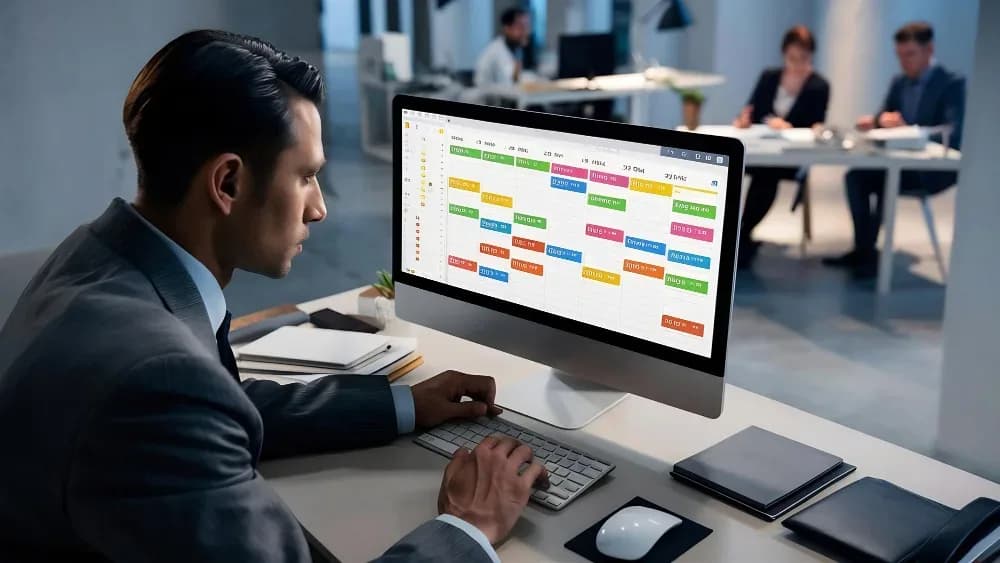
Boards, Tasks, Subtasks & Reports — All in One Workflow
OfficePortal's task management isn't a standalone tool bolted on. It's built into your HRMS — so the hours your team logs against tasks connect with timesheets, the billable time feeds finance reports, and everything is in one place from day one. No integration. No data exports. No manual reconciliation.
- Task Boards
- Timesheet Integration
- Billable Time Tracking
- Workflow Reports

Location-Based Tasks for Field Employees
Assign tasks to field employees that are geo-locked to a specific address. The employee can only mark the task complete when they're physically present at that location — verified by the system. No more field tasks are processed from someone's kitchen table. Ideal for sales visits, client site work, or any on-location delivery.
- Work Item Management
- Bug Tracking
- Location-Based Tasks
- Task-Specific Workflows

Three Task Types — Work Items, Bugs & Location Tasks
Not all work is the same. Office Portal gives you three distinct task types: Work Items for regular operational tasks, Bugs for development teams logging and tracking code issues, and Location-Based Tasks for field work. Each type has its own workflow and reporting — so your data is clean, and your team knows exactly what kind of work they're looking at.
- Subtask Management
- Activity Tracking
- Status Updates
- Audit Trail Visibility
Everything Task Management in One Platform
Boost productivity, strengthen accountability, improve collaboration, and gain real-time workforce visibility with intelligent task management software.
Enhanced Productivity
Keep teams focused on priorities by organizing tasks, tracking progress, and ensuring timely completion of work.
Improved Team Collaboration
Enable seamless communication and coordination across departments through a centralized task management platform.
Better Project Visibility
Gain real-time insights into task status, deadlines, workloads, and project progress from a single dashboard.
Increased Accountability
Assign clear ownership for every task, ensuring responsibilities are defined and work is completed on time.
Faster Decision-Making
Access up-to-date task data and performance metrics to identify bottlenecks and make informed decisions.
Streamlined Workflow Management
Standardize processes, automate task assignments, and reduce manual follow-ups to improve operational efficiency.
Why Teams Choose OfficePortal Over Standalone Task Tools?
A task board is no longer sufficient to handle today's teams. With OfficePortal, you can integrate task management, time management, billing processes, and field task management into one solution.
Free to Start — For Real
Up to 5 users, permanently free, full task management features included. Not a trial. Not a lite version. If you need more users, it's ₹60/user. That's the whole pricing model.
Tasks Live Inside Your HRMS
Most task tools are islands. OfficePortal's task module is part of the same system as payroll, leave, attendance, and performance. Hours logged against tasks connect to timesheets. Billable work connects to finance reports. Everything talks to everything else.
Location Tasks for Field Teams — Nobody Else Has This
Geo-locked task completion isn't a feature you'll find in Trello or Asana. For companies with field sales teams, delivery staff, or site engineers — this is the feature that changes how field work gets verified and reported.
Billing Built In — No Integration Required
Set billing types per project, assign hourly rates, and let OfficePortal track billable hours automatically. No Harvest subscription. No Toggl. No spreadsheet at the end of the month. The billing data is already in your task system.
Three Task Types That Match How Teams Actually Work
Work Items, Bugs, and Field Tasks aren't just labels. Each has its own workflow, verification logic, and reporting. The system understands the difference between a software bug and a field visit — and tracks both correctly.
Support That Actually Responds
When your project is live and something breaks, you need a quick answer. OfficePortal's support is consistently mentioned by customers as a reason they stay — real responses, real people, not a bot and a three-day ticket queue.
HR & Operations Teams Love OfficePortal
“The Office Portal app is extremely user-friendly and well-designed. Navigation is smooth, and all the key features are easily accessible. It has streamlined many of our daily operations, from attendance tracking to internal communication. The app is fast, responsive, and reliable - everything works as expected without glitches. A great tool for managing office tasks efficiently. Highly recommended!”
“Office portal app is user friendly and helpful for managing. The Staff are also very supportive، co operative , and responsive. Highly recommend office portal to others.”
“Excellent and user friendly app. At economical cost. Wish you best for grand success and batter and batter updates step by step.”
How OfficePortal compares
See why 1,000+ companies choose OfficePortal over other HRMS solutions.
| Feature | OfficePortal | Zoho People | greytHR | Keka |
|---|---|---|---|---|
| Free plan | Up to 5 users | 5 users (limited) | No | No |
| Timesheet Management | ||||
| My Team Timesheet Management | Add-on | Limited | ||
| Timesheet Summary | Add-on | |||
| Client Management | ||||
| Task Board | ||||
| Task Management | Server-side | |||
| Mobile app (Android + iOS) | ||||
| Project & Task View | ||||
| Task Assignment | ||||
| Subtasks | ||||
| Task Attachments | ||||
| Advanced Filters | ||||
| Task Timer (Start/Stop Clock) | ||||
| Due Date & Deadline Management | ||||
| Task Comments & Collaboration | ||||
| Log Hours by Task & Project Report | ||||
| Project Progress Tracking | ||||
| Employee Log Hours Report | ||||
| Timesheet Approval Workflow | ||||
| Push Notifications | ||||
| Project Import | ||||
| Task Import | ||||
| Work Item Import | ||||
| Project Coordinator Import | ||||
| Export Options | ||||
| Mobile Access | ||||
| Starting price | Free / $4 | $75/mo | $42/mo | $84/mo |
Comparison based on publicly available information as of March 2026. Features and pricing may vary.
Ready to Stop Losing Track of Tasks?
Join 1,000+ companies that replaced scattered to-do lists, spreadsheets, and "did you finish that thing?" messages with OfficePortal.
FAQ's
Task management software helps businesses organize, assign, track, and manage tasks within a centralized platform. OfficePortal Task Management Software improves team collaboration, workflow visibility, and productivity management for modern businesses.
Task management software helps teams streamline workflows, improve accountability, track deadlines, and reduce missed tasks. OfficePortal enables businesses to manage projects, employee tasks, and daily operations more efficiently from one platform.
The best task management software for companies should support task assignment, collaboration, project tracking, reporting, and time management features. OfficePortal provides an all-in-one task management solution that helps companies improve team productivity and workflow efficiency.
Small businesses need task management software that is affordable, scalable, and easy to use for growing teams. OfficePortal helps small businesses simplify task tracking, employee collaboration, and project management through a centralized system.
Task management solutions with time tracking help businesses monitor employee productivity, project timelines, and billable hours accurately. OfficePortal combines task tracking and integrated time management tools within a single productivity platform.
Top-rated task management tools include features like task scheduling, progress monitoring, collaboration, and built-in time tracking. OfficePortal delivers centralized task management and workforce productivity tracking designed for modern teams and businesses.
Reference Pages
Best Talent Management Software for Small Business
How Corporate Travel Management Software Simplifies Business Travel
Employee Management Software: Features, Benefits & How to Choose
Spend Management Software: A Complete Guide for Modern Businesses