HR Software for Oil and Gas Industry
OfficePortal is HR software for oil and gas companies, built by Awarious Technology Solutions, that keeps remote sites, rotating crews and contractors on one system. Capture attendance on biometric devices at the site or with GPS and selfie check-in, plan rotation and night shifts, store safety certificates, add site and hazard allowances to payroll, and approve travel claims for crew changes. Premium starts at ₹60 per user per month billed yearly, and the Standard plan is free for up to five users.
✓ Free for up to 5 users · Premium from ₹60 per user

Trusted by 1,000+ teams worldwide







One HR System From Head Office to the Furthest Site
Oil and gas crews work far from HR, on rotations, alongside contractors. OfficePortal gives everyone one set of records, rules and pay.






Site Attendance
Crews clock in on biometric devices at the site or check in from their phones with the GPS and selfie add-ons, so every punch is tied to a real location. Missed punches go through regularisation with manager approval. See attendance tracking.
Rotation and Shift Scheduling
Set up recurring rotation patterns for crews on on-off schedules, plus day and night shifts at plants and terminals. Shift scheduling calculates overtime automatically.
Contractor Workforce
Keep employees and contract workers in one HRMS, each with their own site, shifts and pay rules, and pay contractors through the contractor pay option.
Safety and Certification Records
Store safety training, medical fitness and competency certificates in each worker's file with HR document management, so supervisors can check them before deployment.
Payroll With Allowances
Add site, hazard, remote-location and shift allowances as salary components, with overtime coming in from attendance. Payroll produces payslips crews can download on their phones.
Crew Travel Claims
Crew changes mean flights, transfers and daily allowances. Workers submit claims with receipts from the app, and managers approve them in travel and expense management.
Key Benefits of HR Software for Oil and Gas Companies
Designed for operators, contractors and service companies running sites far from head office.
Every Site, One System
Rigs, terminals, plants and yards often run their own attendance sheets. OfficePortal brings attendance, rotations and leave from every site into one place, so HR stops chasing site clerks at the end of each rotation.
Leave Rules by Location
Set leave policies and holiday calendars per location, so site crews and office staff follow the rules that apply to them.
Safety Paperwork in Order
Certificates and training records sit in each worker's digital file instead of a cabinet at the site office.
Overtime You Can Defend
Overtime is calculated from actual punches and shift rules, which makes disputes with crews and contractors easier to settle.
Visibility Across Locations
Head office sees headcount, attendance and overtime by site from one dashboard.
Why Oil and Gas Companies Choose OfficePortal
The HR problems that come with remote, rotating and contractor-heavy work.
Remote sites
Biometric, GPS and selfie attendance tied to the site.
Rotating crews
Recurring rotation patterns, night shifts and automatic overtime.
Safety records
Certificates and training stored in each worker's file.
Crew travel
Flights, transfers and daily allowance claims approved in one flow.
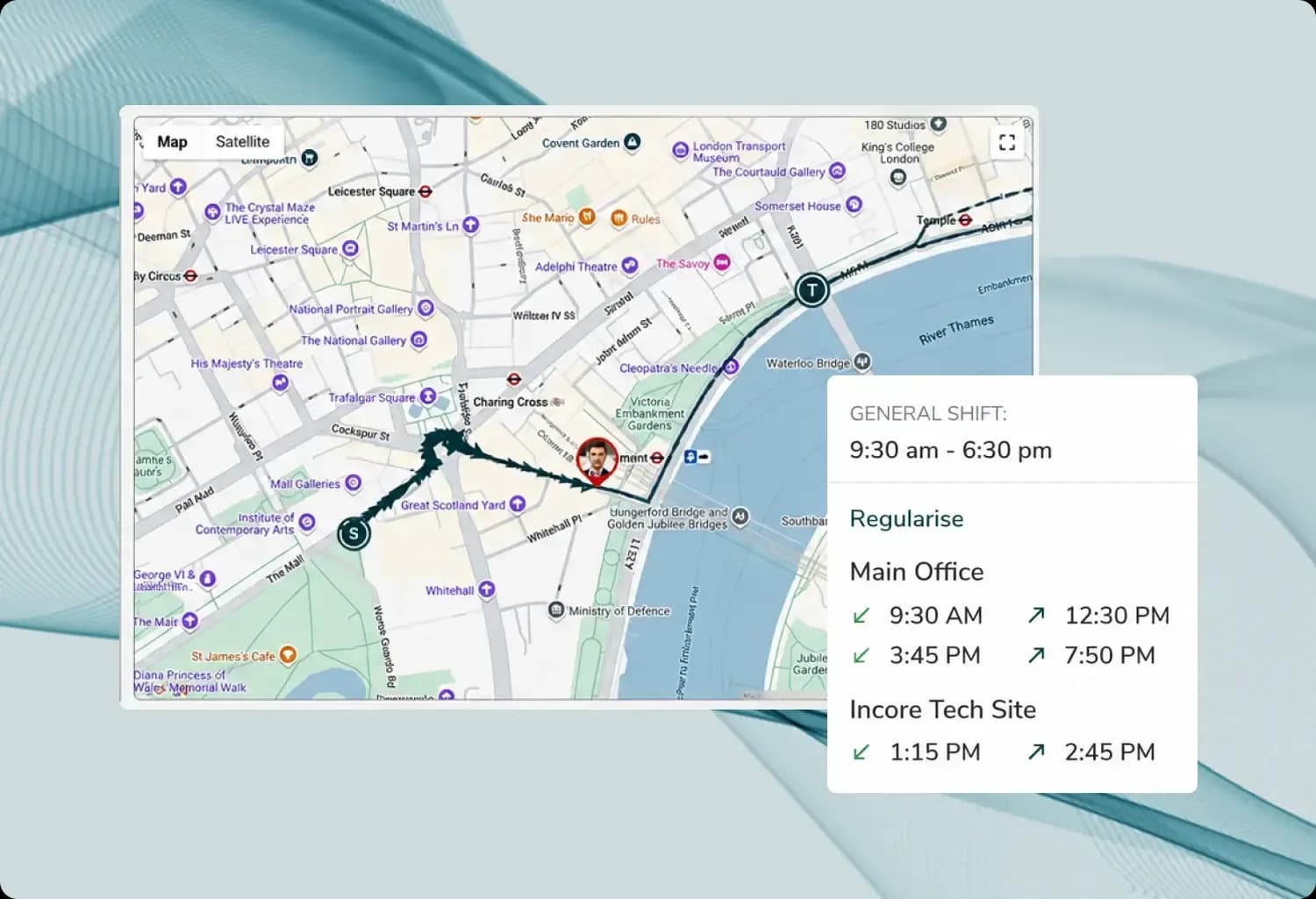
Attendance That Proves Who Was on Site
On a remote site, a supervisor's signed sheet isn't proof enough. Biometric punches at the site, or GPS and selfie check-in on the mobile app, record who arrived, where and when. Missed punches are regularised with a manager's approval instead of being patched in a spreadsheet later.
- Biometric punches at the site
- GPS and selfie check-in
- Attendance regularisation
- Location-wise attendance

Rotations and Night Shifts Without Gaps
Rotational crews, control-room operators and terminal staff all keep different hours. Build recurring patterns once, cover absences with shift swaps and let overtime calculate from the hours people actually worked.
- Recurring rotation patterns
- Day and night shifts
- Shift swaps
- Automatic overtime
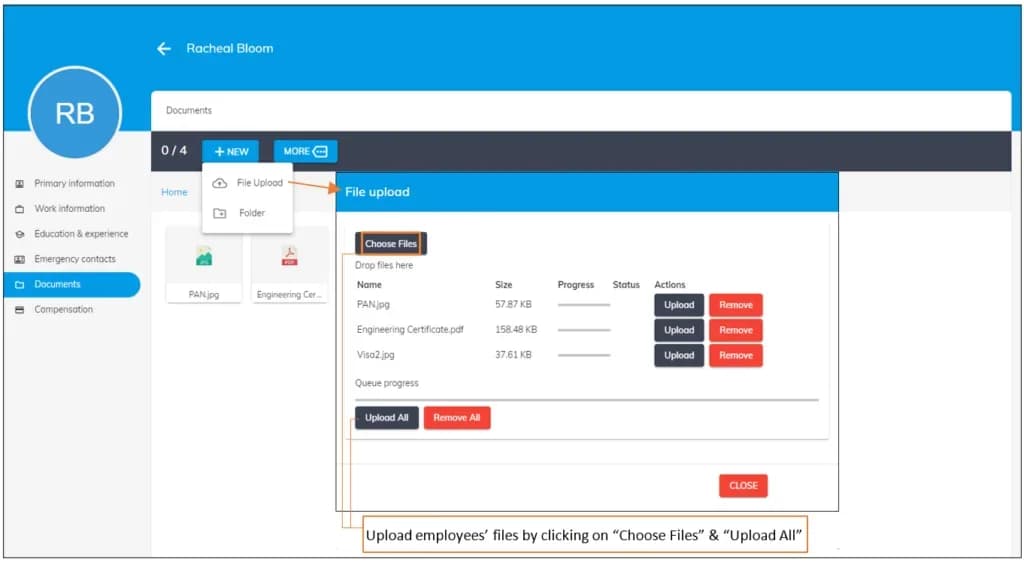
Certificates Checked Before Deployment
Nobody should be sent to site without valid safety training and a current medical. Keep those certificates in each worker's file, alongside IDs and contracts, so supervisors can confirm them in minutes.
- Safety training certificates
- Medical fitness records
- Competency documents
- Employee document upload

Contractors and Employees on the Same Rules
Most oil and gas sites mix employees with contract crews from several vendors. Give each worker a profile with their site, shifts and pay rules, track attendance the same way for everyone, and pay contractors through the contractor pay option.
- Contract worker profiles
- One set of attendance rules
- Contractor pay option
- Headcount by site

Crew Travel and Allowances Paid Correctly
Crew changes bring travel, transfers and daily allowances, and site work often carries extra pay. Claims are approved in one workflow, and site and hazard allowances go into payroll as salary components.
- Travel and daily allowance claims
- Approval workflows
- Site and hazard allowances
- Downloadable payslips
Run Every Site and Rotation From One HR System
Attendance, rotations, certificates, contractors and payroll for oil and gas teams. Start free with up to five users, or book a demo.
Oil and gas HR software: questions answered
Look for software that handles remote-site attendance, rotating crews, contractors and safety records together. OfficePortal covers all four, plus leave, payroll and travel claims, from ₹60 per user per month billed yearly.
Crews can clock in on biometric devices at the site or check in from the mobile app with the GPS and selfie add-ons. Each punch records the time and location, and missed punches are regularised with manager approval.
Yes. You can set up recurring rotation patterns, day and night shifts and shift swaps, and overtime is calculated automatically from attendance. Our onboarding team helps configure your rotations during setup.
Yes. Contract and permanent workers each get a profile with their site, shifts and pay rules, follow the same attendance rules, and contractors can be paid through the contractor pay option.
Yes. Safety training, medical fitness and competency certificates can be kept in each worker's file with HR document management, so supervisors can check them before deployment.
They're added as salary components in payroll, alongside overtime calculated from attendance. Workers download their payslips from the app.
Yes. Workers submit claims with receipts from the mobile app, and managers approve them in a set workflow.
Yes. Attendance, headcount and overtime can be viewed by location from one dashboard, with leave rules and holidays set per site.
The Standard plan is free for up to five users. Premium, which includes payroll, biometric attendance, shift scheduling and performance management, costs ₹70 per user per month or ₹60 billed yearly. Elite costs ₹220, or ₹200 billed yearly. GPS and selfie check-in are add-ons.
Yes. OfficePortal uses AES-256 encryption and SOC 2 compliant infrastructure, with 99.9% uptime.
Start free with up to five users, or book a demo. Our onboarding team helps with setup, data migration and training, including your sites, rotations and biometric devices.