Face recognition attendance sounds simple until the first week of rollout, when someone's photo doesn't match in dim lighting, an employee grows a beard, or the device gets fooled by a phone screen held up to the camera. None of these are reasons to avoid face recognition attendance — they're exactly the details that separate a smooth implementation from a frustrating one.
Here's how it actually works, the real benefits, and a practical guide to rolling it out without the common pitfalls.
How Face Recognition Attendance Actually Works
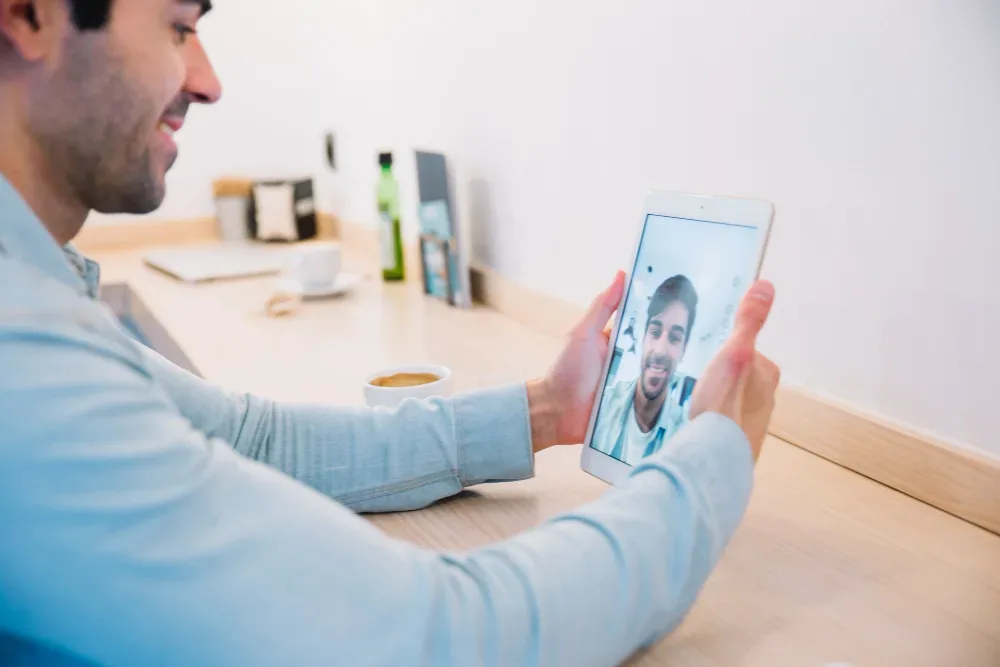
A face recognition attendance system captures an employee's face — either through a dedicated device at a fixed location or through a mobile app's camera — and matches it against a stored facial profile to confirm identity at check-in. The stronger implementations also include liveness detection, which verifies the captured image is a live, in-person face rather than a photo, video, or printed image held up to the camera.
Without liveness detection, face recognition alone is vulnerable to a specific, well-known spoofing method: holding up a photo of the enrolled employee. Liveness detection closes that gap by checking for signs of a live subject — subtle movement, depth, or a prompted action like a blink — before accepting the match.
Try OfficePortal free for 5 users
All-in-one HRMS — attendance, payroll, leave and more. No credit card needed.
Benefits of Face Recognition Attendance
Stronger Identity Verification Than PIN or Card-Based Methods
A face can't be shared, lent, or forgotten at home the way an access card or PIN can — removing "buddy punching" (one employee checking in for another) far more effectively than non-biometric methods.
Works Without Physical Contact
Unlike fingerprint scanners, face recognition doesn't require touching a shared surface — a meaningful consideration for hygiene-sensitive environments and one that gained lasting relevance for many workplaces.
Deployable via Mobile, Not Just Fixed Hardware
Face recognition doesn't strictly require dedicated hardware — it can run through a smartphone camera, making it viable for remote and field employees in a way fixed biometric devices never were.
Fast Check-In at Scale
A well-tuned system matches a face in roughly a second or two, which matters when dozens or hundreds of employees are checking in within the same short window each morning.
Common Implementation Pitfalls
Skipping Liveness Detection to Cut Cost
Some implementations offer face matching without liveness detection as a cheaper option. This reintroduces the exact spoofing risk (photo-based check-in fraud) that face recognition is usually chosen to solve — it's a false economy for most use cases.
Poor Enrollment Photo Quality
If an employee's profile photo is captured in poor lighting or at an awkward angle during enrollment, match accuracy suffers from day one. A brief, standardized enrollment process (consistent lighting, straight-on angle) meaningfully reduces false rejections later.
Not Accounting for Appearance Changes
Facial hair, glasses, significant weight change, or even different lighting conditions between enrollment and daily use can affect match confidence. Systems should allow for periodic profile photo updates rather than relying on a single enrollment photo indefinitely.
Ignoring Connectivity Requirements
Mobile-based face recognition typically needs a data connection to verify against the stored profile. Deployments in low-connectivity areas need a plan for offline queuing, or a fallback check-in method, to avoid attendance gaps.
Rolling Out Without Communicating Data Handling
Face recognition involves biometric data, and employees reasonably want to know how it's stored and used. Skipping this conversation during rollout is a common source of employee pushback that has little to do with the technology itself and everything to do with how it was introduced.
A Practical Implementation Guide
Step 1: Define Where It's Actually Needed
Face recognition isn't necessarily the right fit for every employee group. It tends to add the most value for office-based teams checking in at a fixed location and for remote employees where identity verification (not location) is the priority. Field employees often benefit more from geofencing, or a combination of the two.
Step 2: Standardize the Enrollment Process
Set a consistent process for capturing enrollment photos — same lighting conditions, straight-on angle, no accessories that obscure the face — to reduce match errors later.
Step 3: Confirm Liveness Detection Is Enabled
Don't treat this as optional. It's the specific feature that prevents the most common and easiest spoofing method.
Step 4: Pilot Before Full Rollout
Run the system with one team first, gather feedback on match accuracy and any edge cases (lighting conditions at specific locations, connectivity issues), and adjust before deploying company-wide.
Step 5: Communicate Data Handling Clearly
Tell employees plainly what's captured, how it's stored, who can access it, and how long it's retained. This single step prevents most of the resistance biometric rollouts otherwise encounter.
Step 6: Set a Fallback Method for Edge Cases
Even a well-tuned system will occasionally fail to match — poor lighting, a temporary injury, a device malfunction. Employees need a documented fallback (typically a manual attendance request. so a single failed match doesn't become a full-day attendance gap.
Conclusion
Face recognition attendance delivers on its promise — strong identity verification, contactless check-in, and mobile deployability — but only when liveness detection is genuinely enabled, enrollment is standardized, and the rollout accounts for the edge cases that trip up most implementations. Skipping any of those isn't a minor shortcut; it's usually where the technology's reputation problems actually come from.
OfficePortal's selfie attendance includes liveness detection as standard, works from any smartphone without dedicated hardware, and pairs with a documented manual attendance request workflow for the inevitable edge case where a match doesn't go through. See how face recognition attendance works inside OfficePortal.
Reference Pages
Employee Attendance App: Features, Benefits, and Best Practices
How Attendance Tracking Software Works: Process, Benefits & Features
What Is a Leave Management System? Benefits, Process & Features
Attendance Policy Template: Grace Period, Late Coming & Regularization Rules

About the author
Kannan Chandrasekaran
Director@Awarious
Kannan Chandrasekaran is a Director and HR technology professional with expertise in HRMS, payroll, workforce management, and digital transformation. He shares practical insights to help businesses simplify and improve their HR operations.
Connect on LinkedIn