How to apply for leave roll over
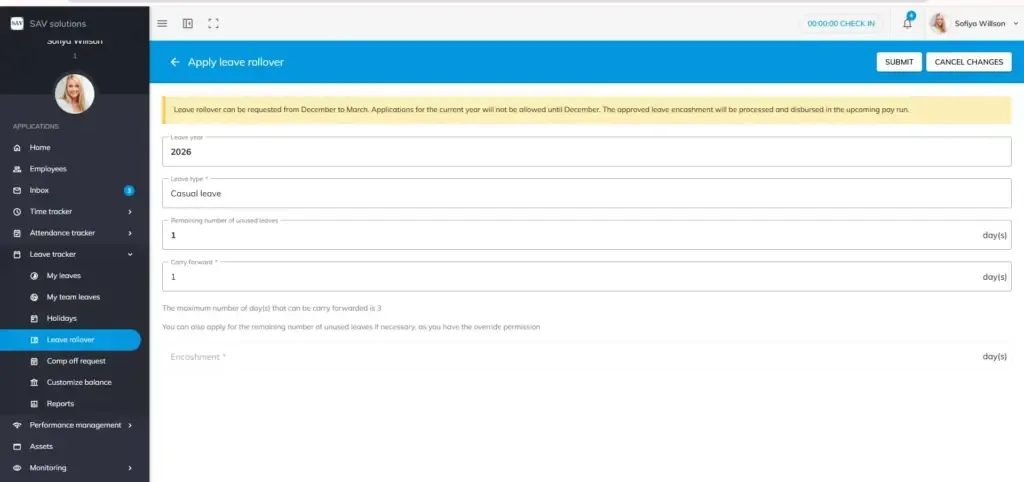
Step 1: Navigate to Leave Tracker and open the Leave Rollover section.
Step 2: Click the Apply button to begin your leave rollover request.
Step 3: Select the leave type. Your available leave balance will be displayed automatically. For instance, if your available casual leave balance is 1, you can proceed with the rollover.
Step 4: Choose whether you want to apply for Carry-Forward or Encashment of your remaining leave balance.
Step 5: Submit your request within the timeframe permitted by your organisation
When Can You Apply?
Leave Rollover can only be applied at the end of your organisation’s leave year. In this example, leave rollover requests are accepted from December to March. Applications for the current year cannot be made before December. The exact months may vary depending on your organisation’s policies.
Please Note
Encashment and carry-forward policies may vary across organisations. It is important to be aware of your company’s specific policies before applying for a leave rollover. If you are unsure, contact your HR department for clarification.