What is Reimbursement Claims?
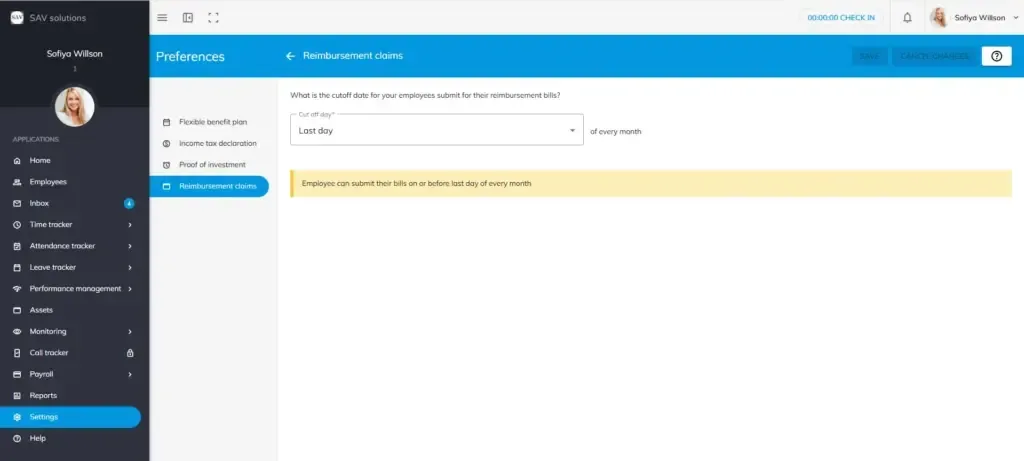
The Reimbursement Claims section in OfficePortal allows employees to submit their monthly expense reimbursements based on actuals, along with supporting bills, for further payroll processing. If you wish to process reimbursement claims alongside the monthly pay run, this section lets you manage and configure the reimbursement cut-off date to ensure all claims are collected on time before payroll is processed.
How to Configure Reimbursement Claims
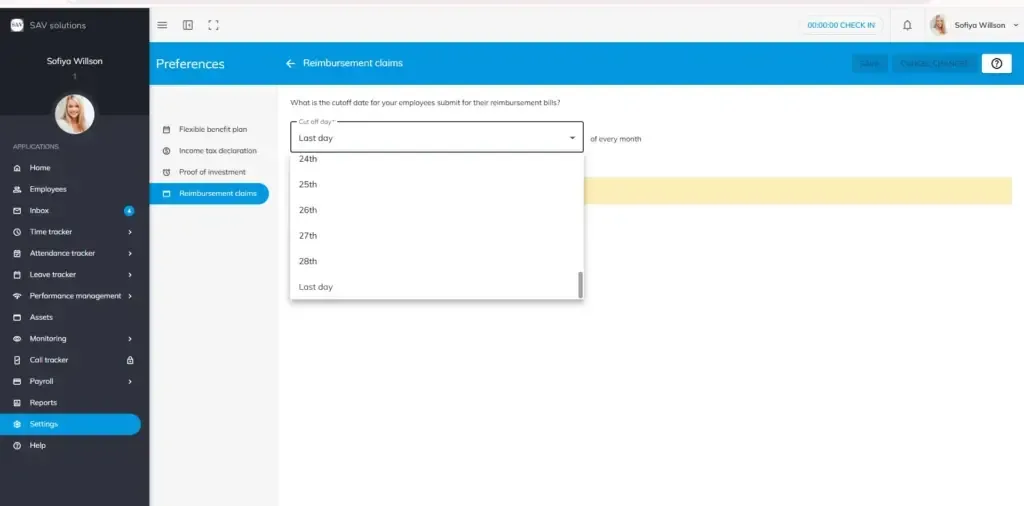
To set up the reimbursement cut-off date for your organisation, follow these steps:
Step 1. Navigate to Settings > Payroll Settings > General Settings > Preferences > Reimbursement Claims.
Step 2. Click Edit.
Step 3. Select the cut-off date from the drop-down list to define the monthly deadline by which employees must submit their reimbursement bills.
Step 4. Click Save.
Example:
- If you select 1st from the drop-down list, employees can submit their reimbursement bills on or before the 1st of every month.
- If you select Last Day from the drop-down list, employees can submit their reimbursement bills on or before the last day of every month.