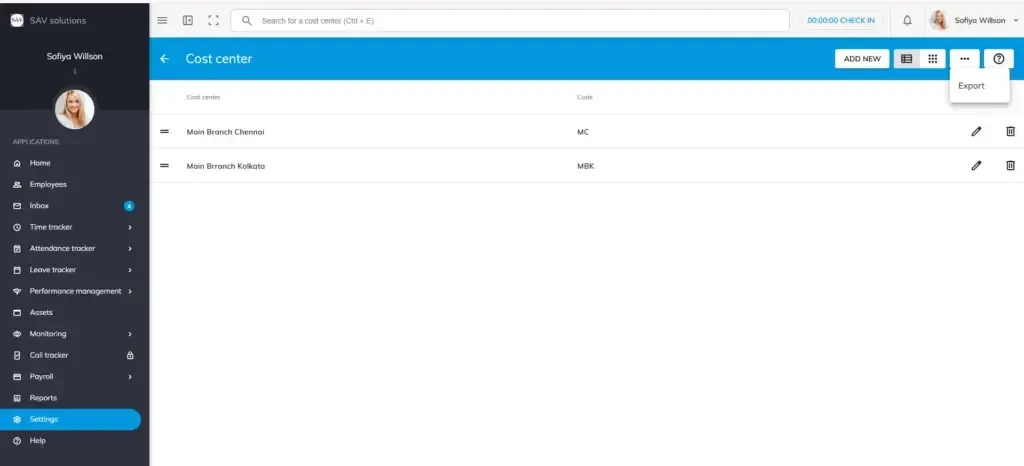
What is a Cost Centre?
A cost centre is a unique code or identifier assigned to a client or project to track and allocate expenses and costs associated with that specific project. In Officeportal HRMS, cost centres are used when adding a new project where each project is linked to a client’s cost centre for accurate financial tracking and billing.
For example, if your organization is handling a project for a client like ABC Corporation, a cost centre such as ABC-2024-MKT can be created and assigned to that project. This helps in:
- Tracking project-wise expenses separately from general company costs
- Allocating costs accurately to the right client or project
- Simplifying billing and invoicing for client projects
- Generating project-specific financial reports for management review
Navigating to Cost Centre
Go to Settings → Payroll Settings → Payroll Fields → Cost Centre.
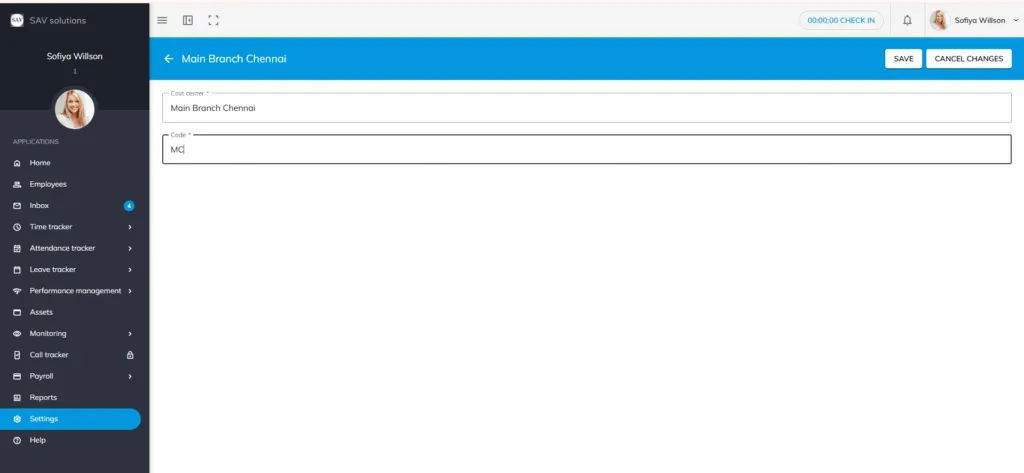
How to add a new Cost Centre?
Step 1: Click the Add New button.
Step 2: Enter the cost centre name in the Cost Centre Name field (e.g., ABC-2024-MKT).
Step 3; Cost centre code will be added automatically based on your cost enter name, you can later customise it.
Step 4: Choose one of the following actions:
Save – Saves the cost centre and closes the form.
Save & New – Saves the current cost centre and opens a fresh form to add another.
Cancel Changes – Discards the entry without saving.
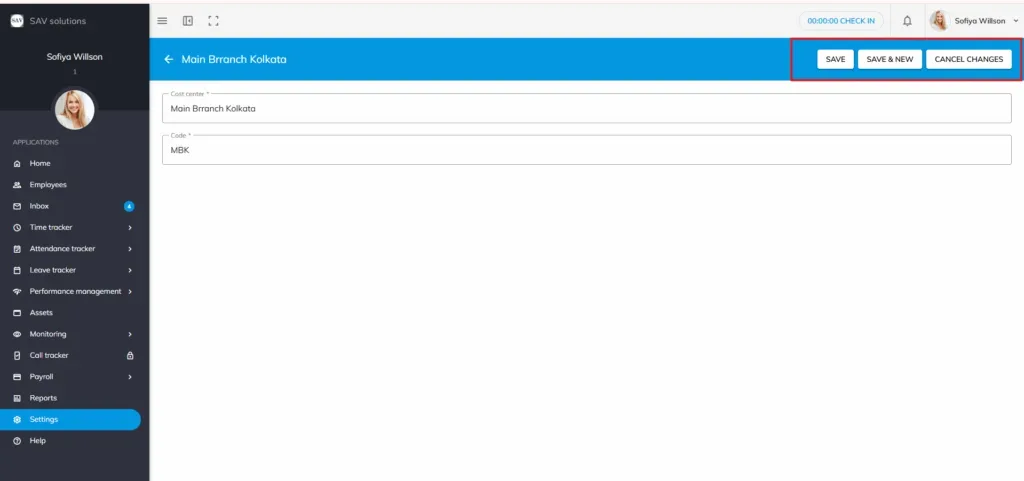
How to edit a Cost Centre
To update an existing cost centre name, click the Edit button (pen icon) next to the cost centre you wish to modify.
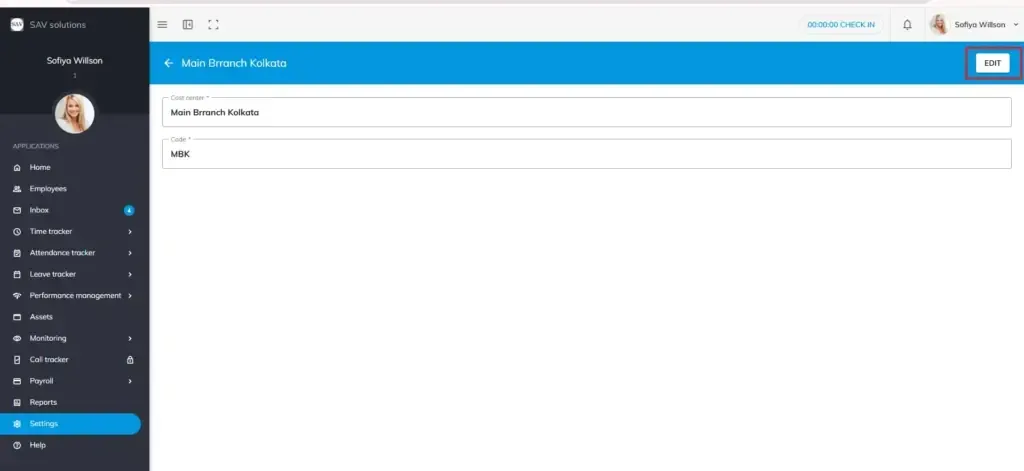
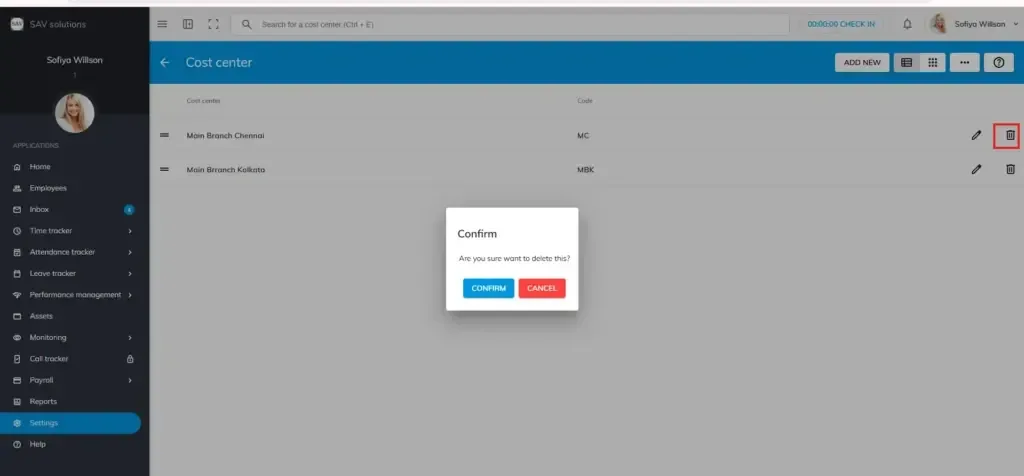
How to delete a Cost Centre?
To remove a cost centre, click the Delete button next to the cost centre name.
Important: Once a cost centre has been assigned to a project, it cannot be deleted
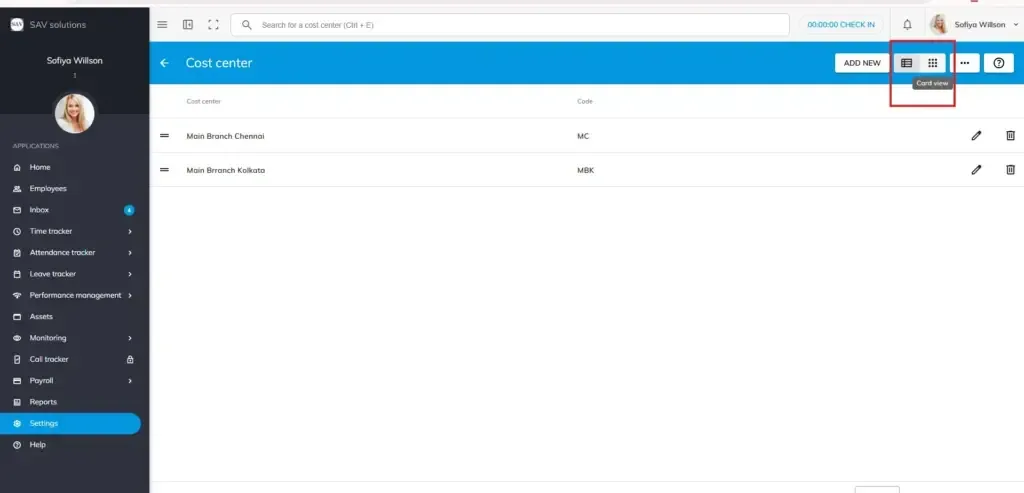
Viewing Cost Centres
You can switch between two display formats based on your preference:
- List View — Displays cost centres in a structured row-by-row format.
- Card View — Displays cost centres in a visual card-based layout.
Exporting Cost Centre Data
You can export the list of cost centres using the Export option available on the Cost Centre page. This is useful for project billing, client reporting, audits, or sharing data with finance and project management teams.