In the Loan type settings, you can add new loan types for the organization.
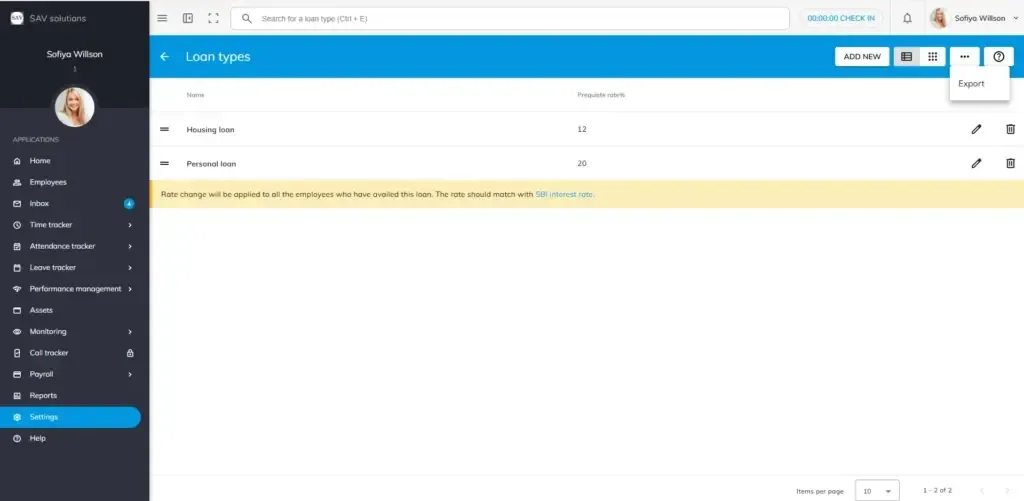
Go to Payroll settings > Pay Fields > Loan types. Here you can see the loan types with perquisite rate that you added previously. You can have a List view or card view of Loan types here.
You will also have an Export option to export leave types that you have added in the officeportal.
How to add a new leave type?
Step 1: Hit the “Add new” button in the top right corner.
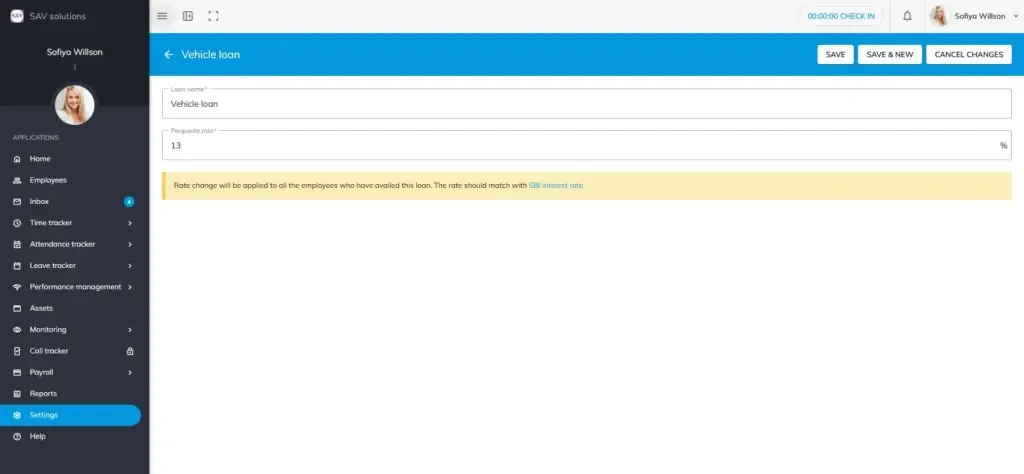
Step 2: Add the loan name and Perquisite rate.
Save – Hit the save button to save the loan type.
Save and New _ Click this if you want to save and continue adding new loan types.
Cancel changes – Hit this button if you want to cancel the changes you made.
Please note: Rate change will be applied to all the employees who have availed this loan. The rate should match with SBI interest rate.
Edit Option: You can use it when you want to edit the loan type name or the perquisite rate.
Delete option: If you want to delete any loan type that you have added, Click the delete option.
Please note: You cannot delete a loan type when it is in use.