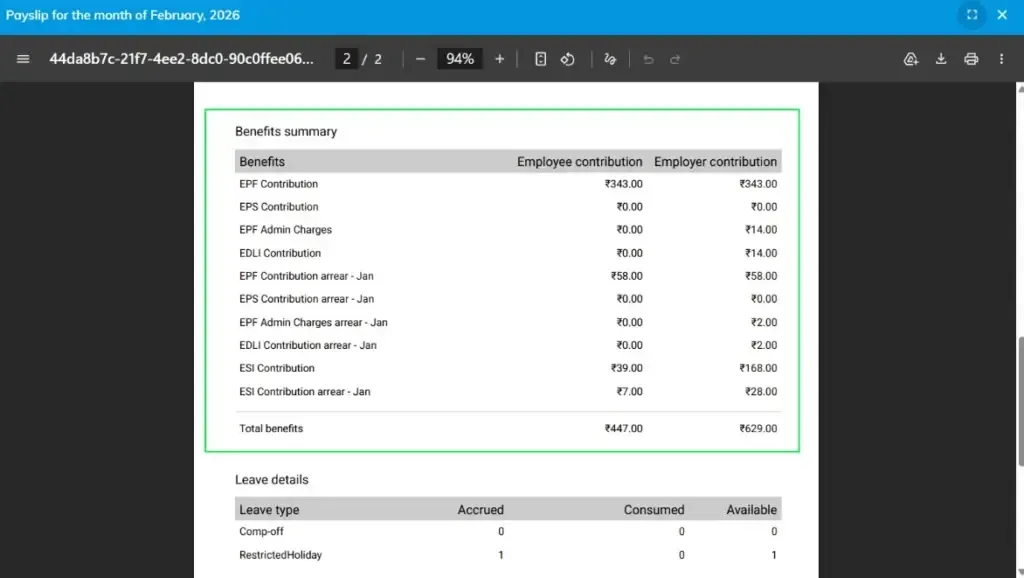
A payslip is a monthly salary statement provided to employees that includes detailed information about salary components, earnings, and deductions. It is mandatory for employers to issue a payslip to employees after the payroll process (pay run) is completed.
A payslip template is a pre-designed format or layout used to generate employee payslips. It defines how salary information is structured and displayed.
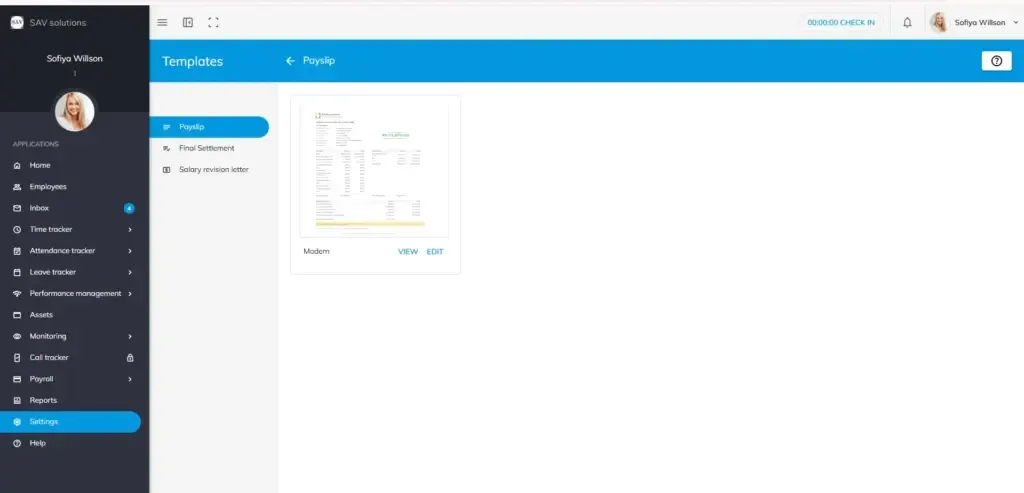
How to View Payslip Templates
To access and view payslip templates in OfficePortal:
- Navigate to Settings > Payroll Settings > General Settings > Preferences
- Click on Templates
- Select “Payslip” to open the available template
- Click on “View” to preview the payslip layout and content in detail
How to Customize Payslip (Logo & Address)
You can personalize the payslip by adding your company logo and address:
Add Company Logo
- Go to Settings > Organization Settings > Account Settings > Company Profile
- Hover over the default logo
- Click on the camera icon (Update option)
- Upload and save your company logo
Add Company Address
- In the Company Profile section, click on Address Details
- Enter your organization’s location details
- Click Save to update the information
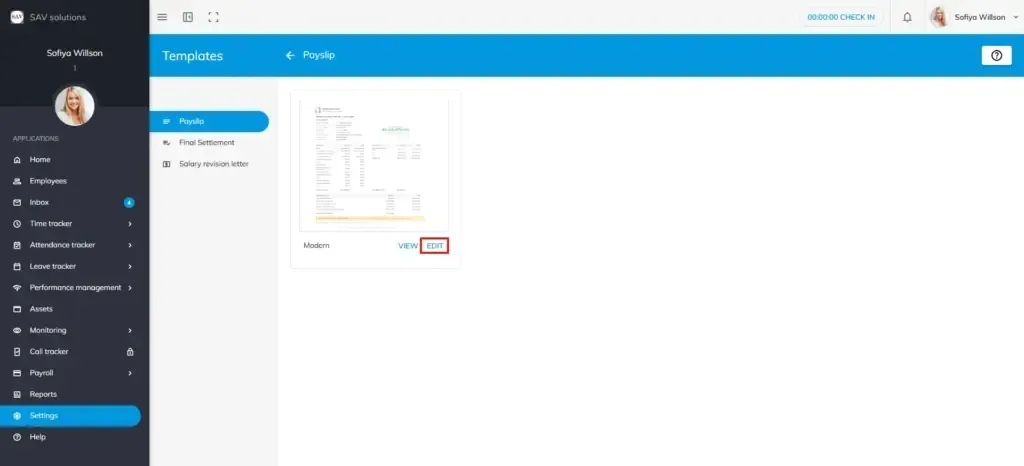
Edit Option in Payslip Template
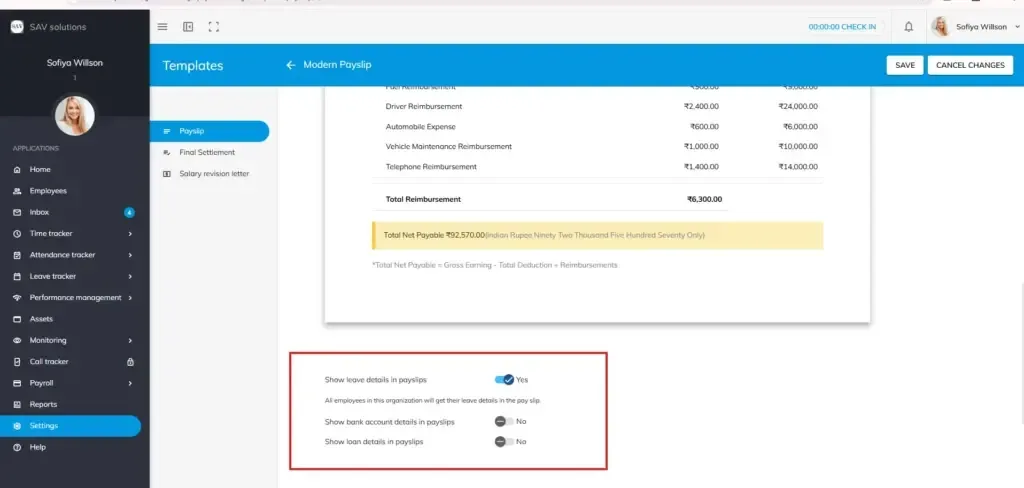
The Edit option in the payslip template allows you to customize the information displayed in employee payslips. This helps organizations control which details are visible based on their requirements.
Using the edit option, you can manage the following settings:
Show Leave Details in Payslip
Enable this option to display employee leave information, such as leave balance and leaves taken, in the payslip.
Show Bank Account Details in Payslip
Enable this option to include the employee’s bank account details in the payslip for salary verification purposes.
Show Loan Details in Payslip
Enable this option to display loan-related information such as deductions and repayment details in the payslip.
Each option can be toggled On or Off, allowing you to tailor the payslip format for better clarity and transparency.
Show Benefit Summary
By enabling this all employees in the organisation will get their benefit summary in the payslip.
Note:
Adding your company logo and address ensures that the payslip looks professional and includes complete company information.