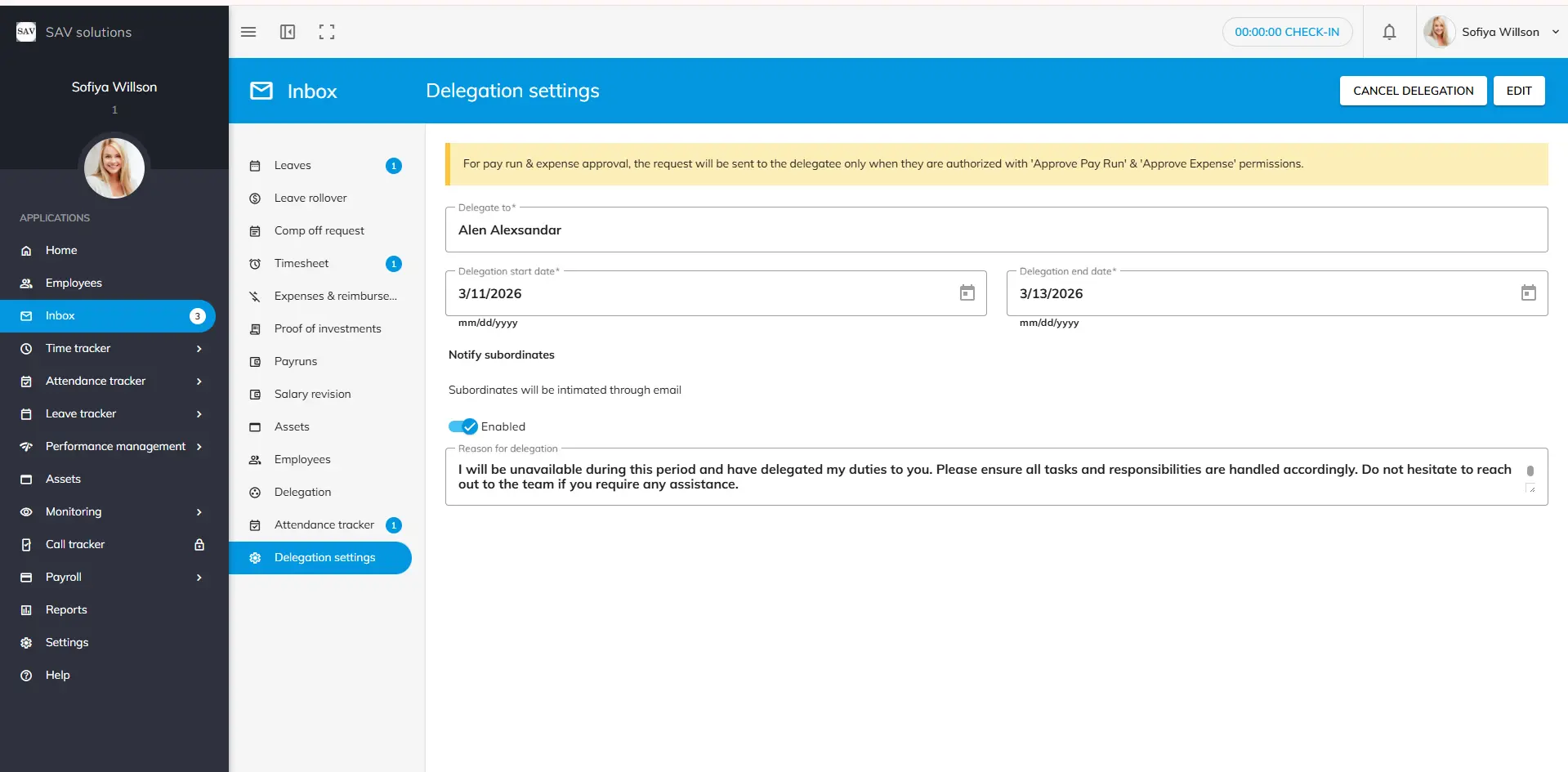
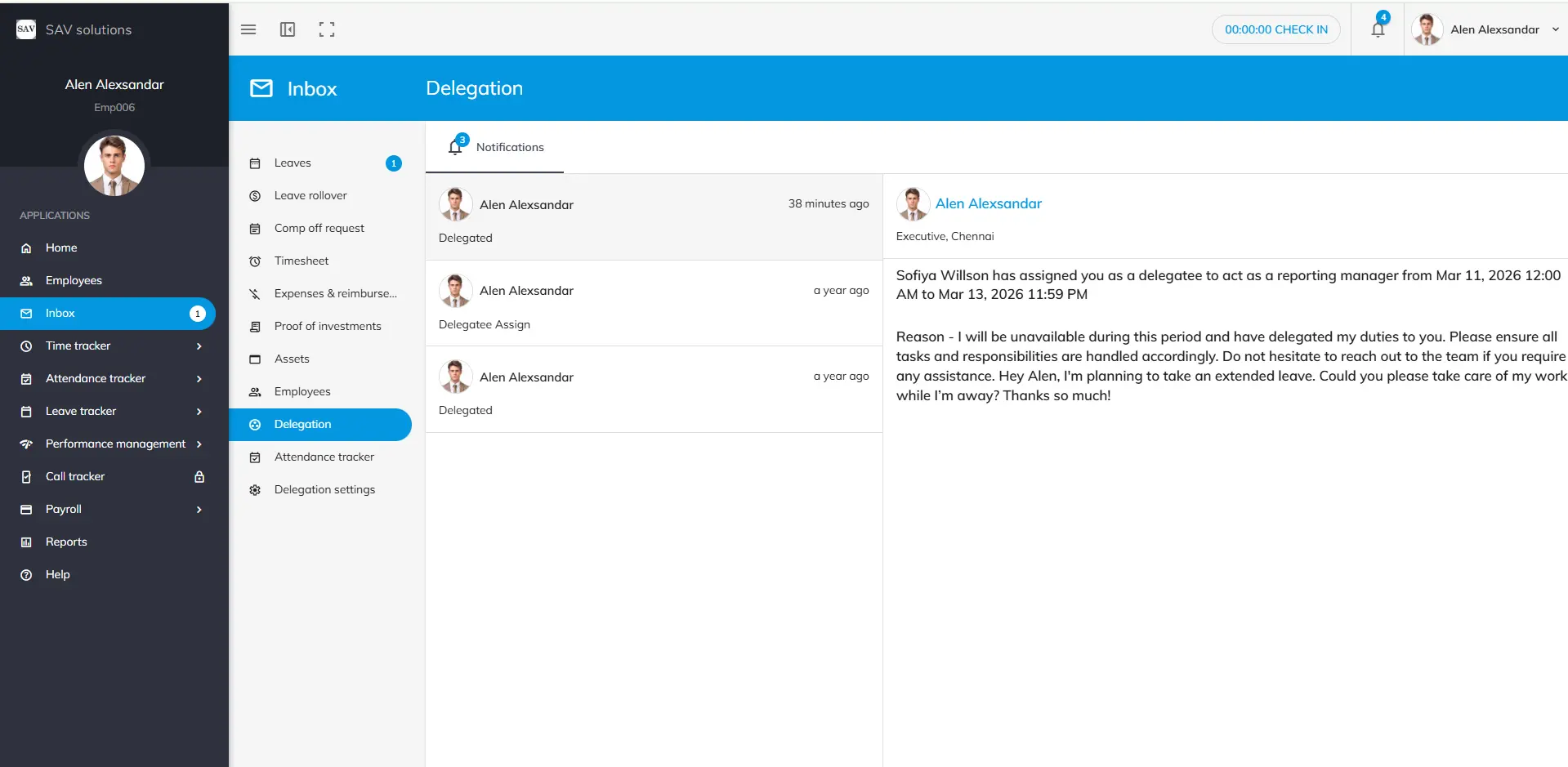
In the Delegation Settings, employees have the flexibility to delegate their work to colleagues when needed. For instance, if you are planning to take extended leave and need to transfer your responsibilities to a co-worker, you can make use of these settings.
Step 1: Simply select your colleague’s name from the drop-down list. Step 2: Specify the start and end dates for the delegation period. Step 3: If you wish to notify your colleague via an official email, enable the “Subordinates will be notified through email” toggle. Step 4: Add a reason for the delegation if necessary.
Please note: Before assigning a delegation, please ensure that your chosen colleague has the proper authorisation to take over your responsibilities.
Step 5: Finally, click the Save button to send the delegation notification. For pay run & expense approval, the request will be sent to the delegatee only when they are authorized with ‘Approve Pay Run’ & ‘Approve Expense’ permissions.
We use third-party services to give you the best user experience and to continuously improve it, however we will not sell your data to any one. These services use cookies. In order to be able to use these services, we need your consent first. I agree and can revoke or change my consent at any time with effect for the future.