Comp-off requests are typically made when you have worked on a weekend or holiday or have worked extra hours on a regular working day and wish to add those hours to your comp-off balance.
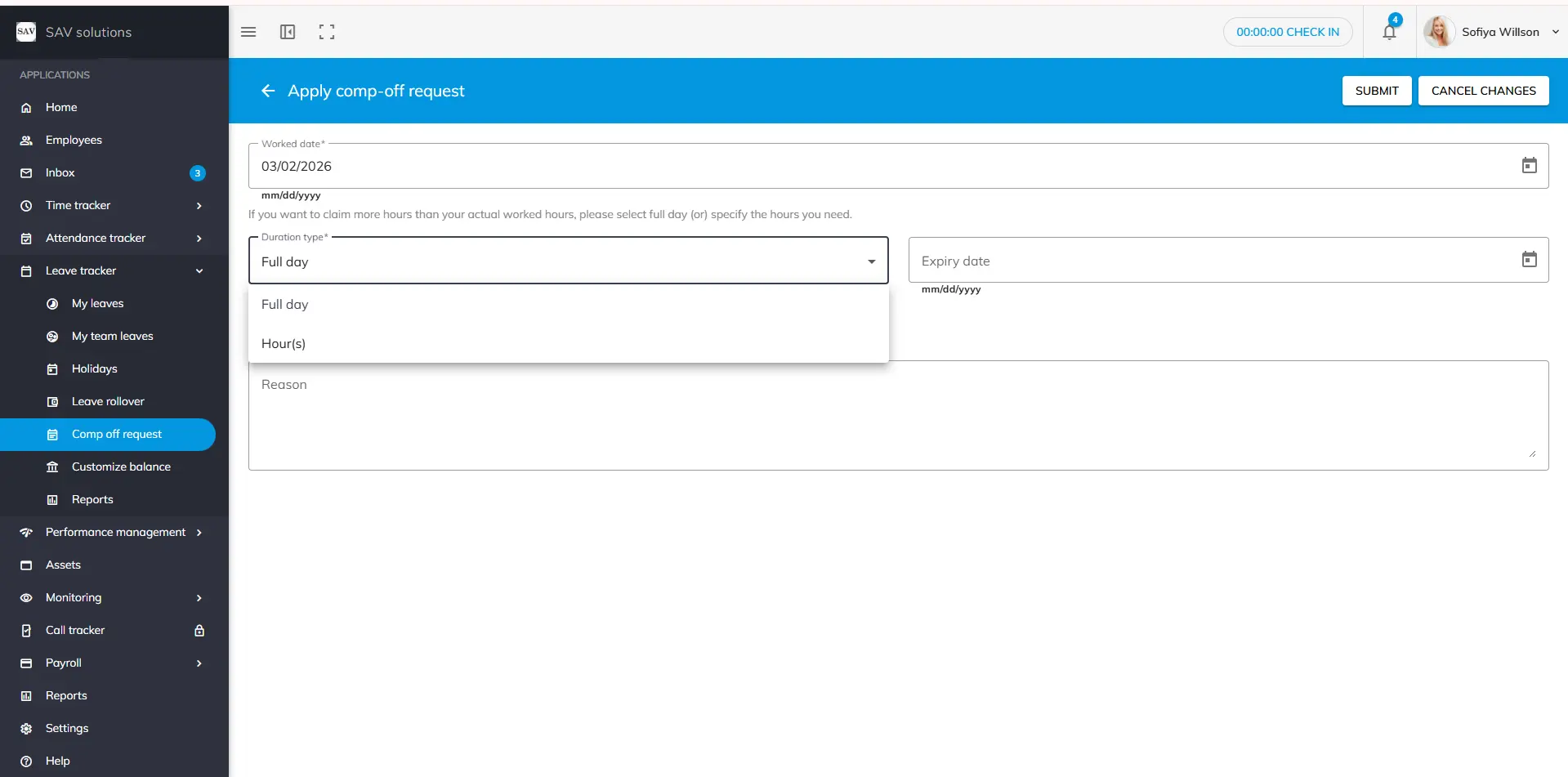
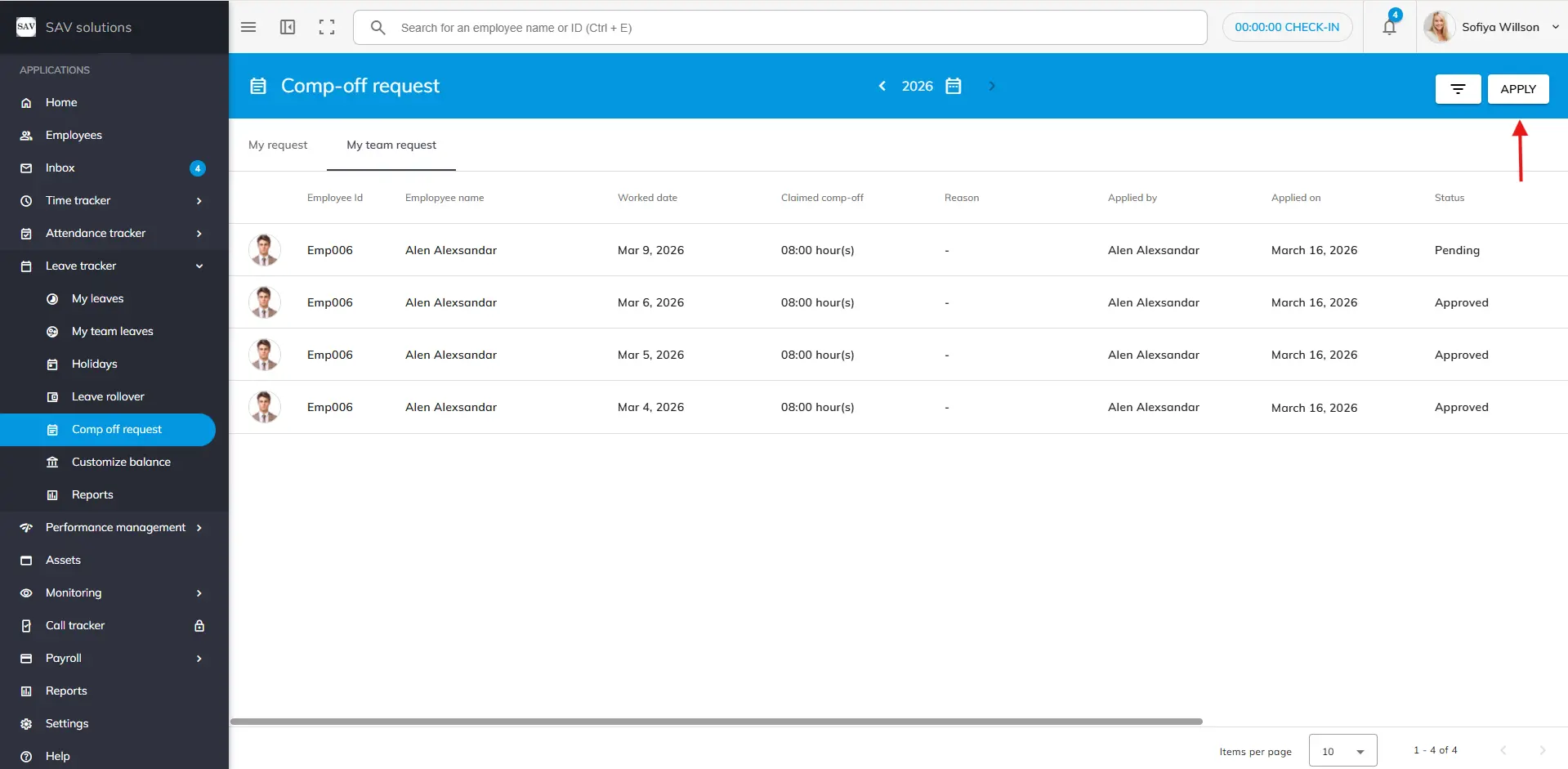
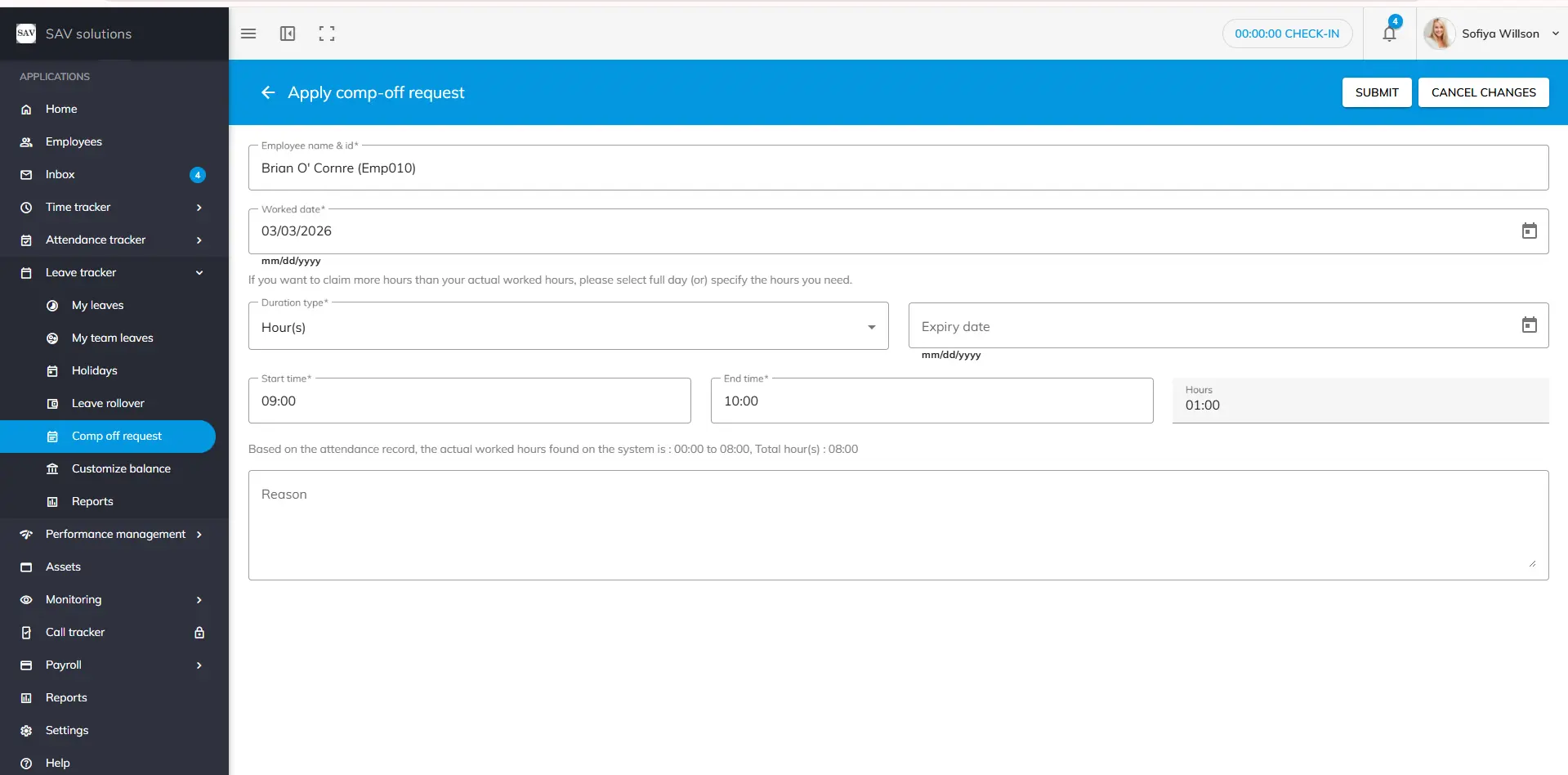
Step 1: Navigate to the Comp-Off Request section and click the Apply button. Step 2: Enter the date on which you worked. The system will automatically display the actual hours worked on that day. Step 3: In the Duration section, choose whether you want to apply for a Full Day or only a Portion of the Hours. If you select a portion of the hours, specify the Start Time and End Time using the 24-hour format. Step 4: Write a reason for your comp-off addition request, if desired. Step 5: Choose an Expiry Date for your comp-off request or leave it blank. If left blank, the system will automatically set the last day of your leave year as the expiry date. Step 6: Click the Submit button to send your request to your reporting manager.
Please Note
Your reporting manager has the authority to modify the comp-off expiry date you have provided. Once your comp-off addition request is approved, the approved hours will be automatically added to your comp-off balance. To cancel a comp-off addition request, click the Cancel button and confirm.
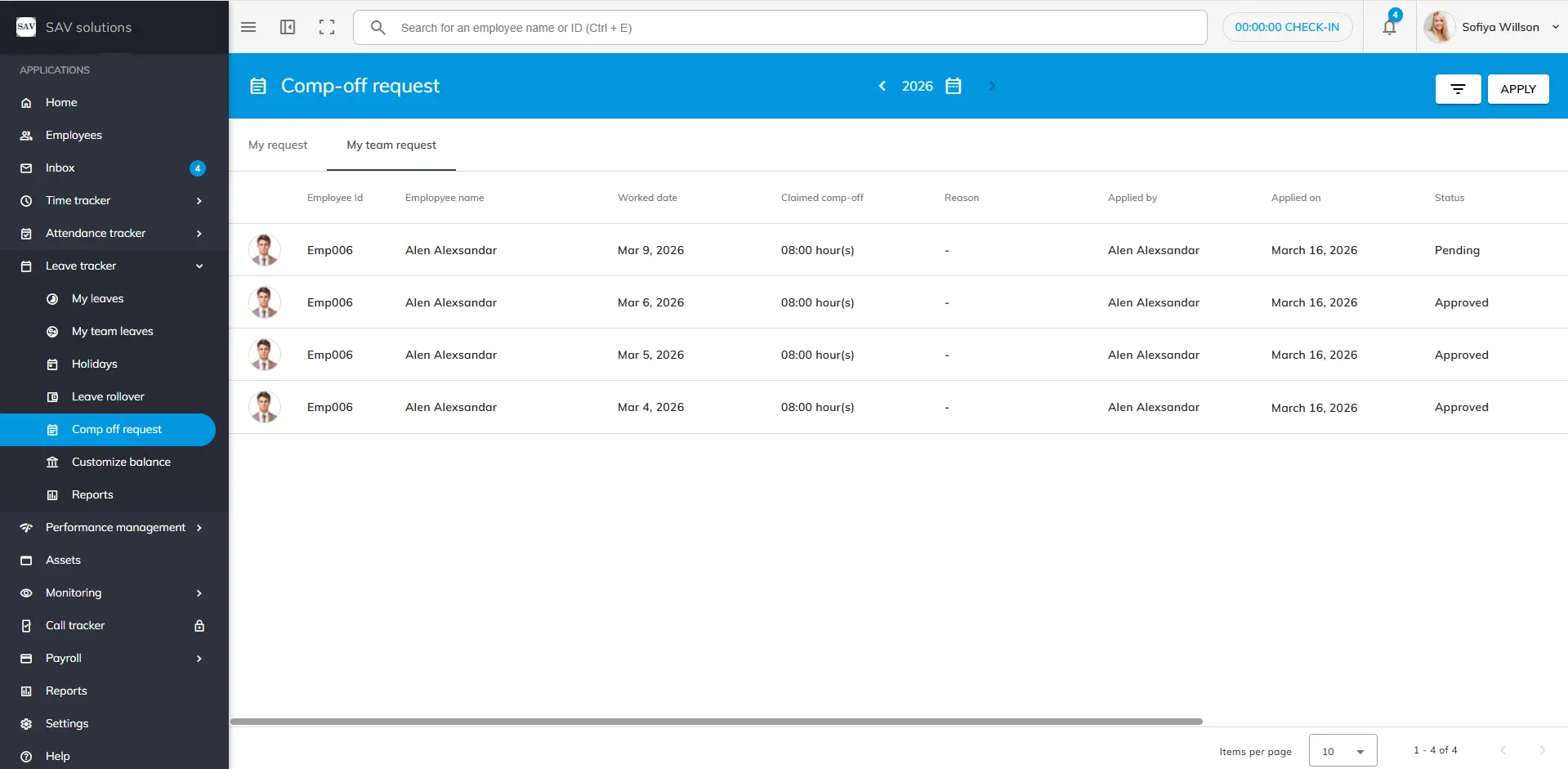
The “My Team Comp-Off Request” section is accessible only to those with the role- access. In this area, you can view the comp-off request status of your team members, whether each request is pending or approved.
We use third-party services to give you the best user experience and to continuously improve it, however we will not sell your data to any one. These services use cookies. In order to be able to use these services, we need your consent first. I agree and can revoke or change my consent at any time with effect for the future.