
The Customise Balance feature in the Leave Tracker module allows authorized users to manually adjust the leave balance of a specific employee. This is useful when you need to correct or modify leave balances based on organizational requirements.
The number of leaves available for an employee usually depends on the organization’s leave accrual setup and the employee’s date of joining. However, if you need to increase or decrease the leave balance for an individual employee, you can do so using the Customized Balance option.
How to Customize Leave Balance
- Go to the Leave Tracker module.
- Navigate to the Customized Balance section.
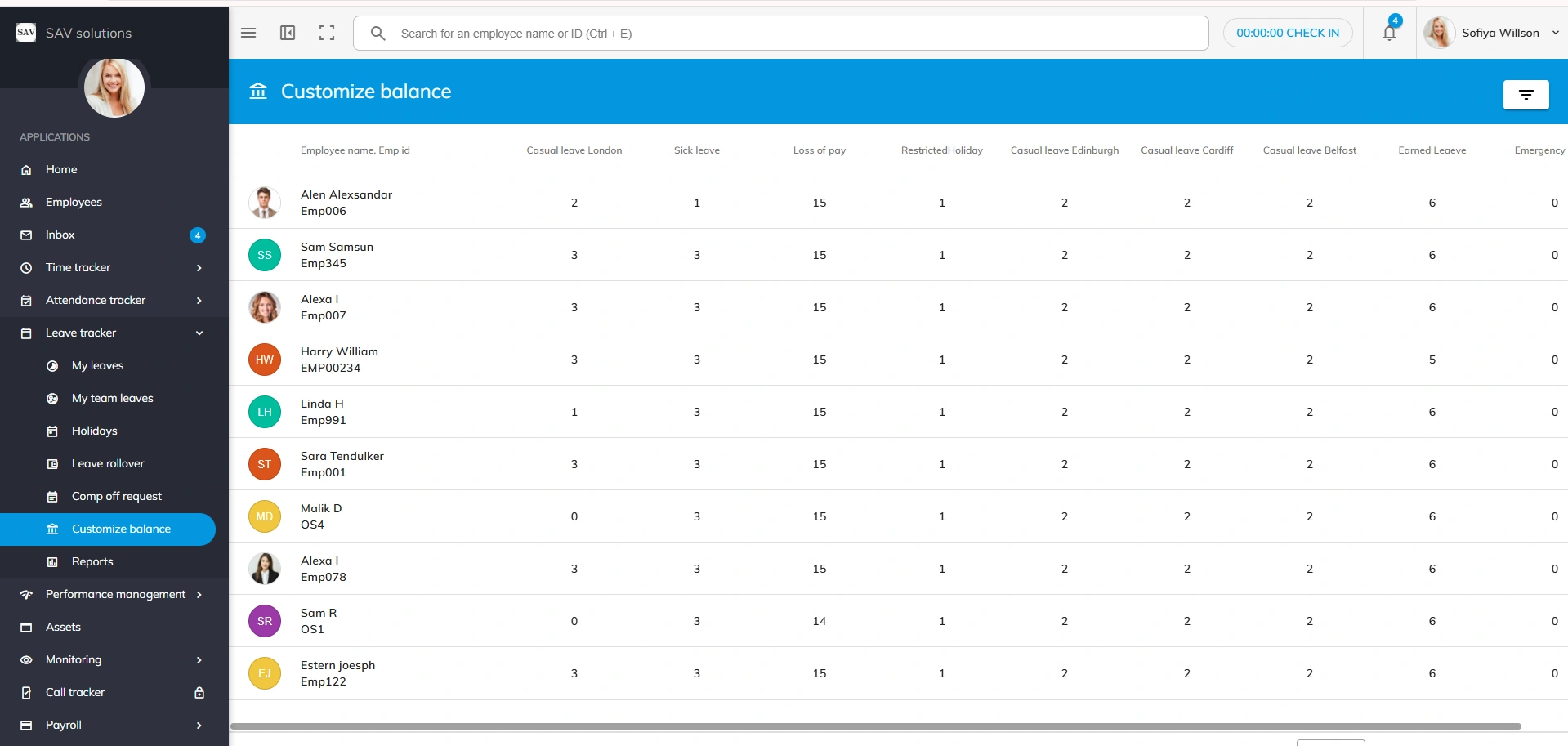
- You will see a list of all employees in the organization.
- If the list is large, use the Filter option available at the top right corner to search for an employee by Name, Employee ID, Status, or other available fields.
- Select the employee whose leave balance you want to modify.
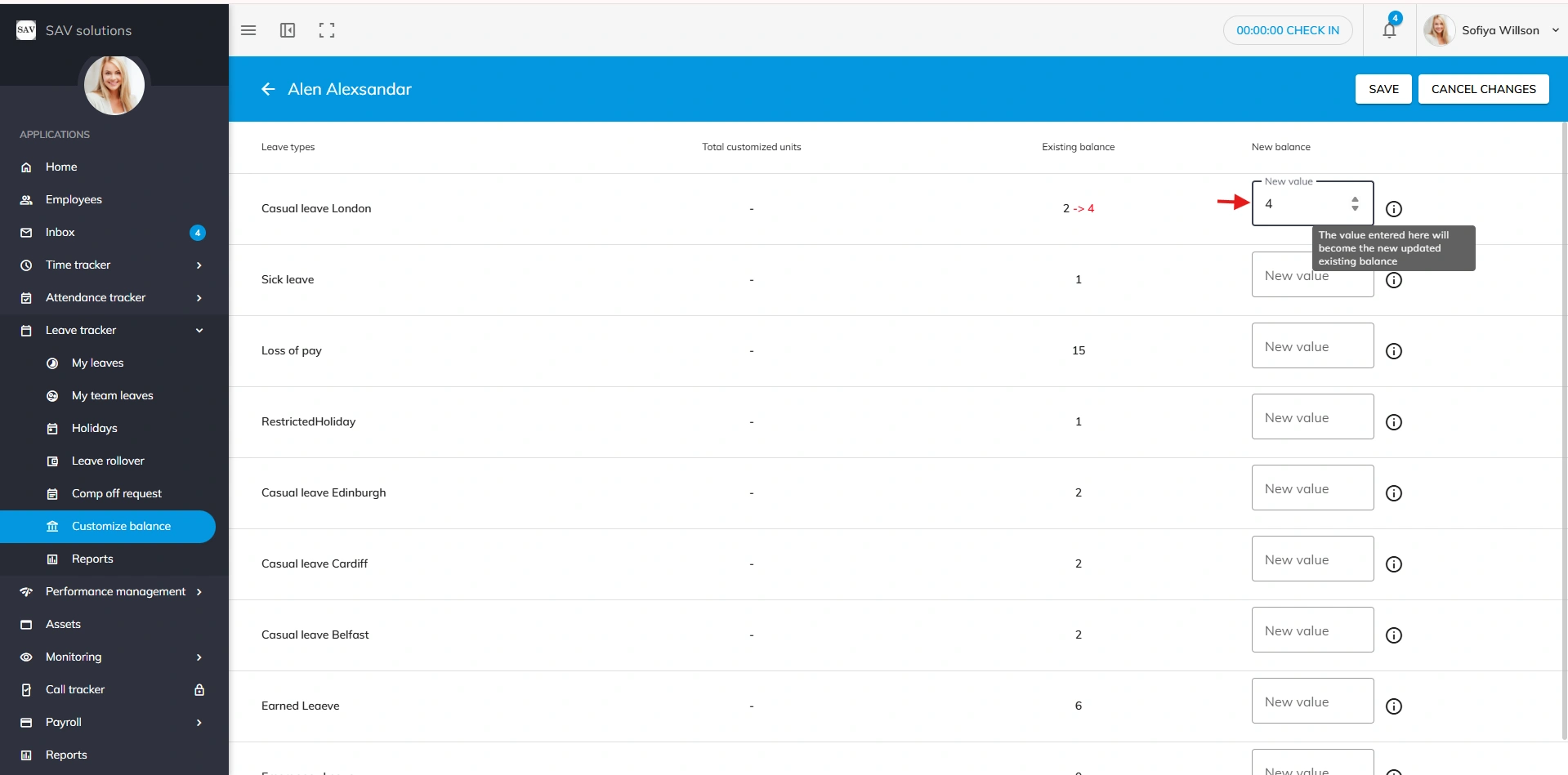
- The employee’s current leave balances for different leave types will be displayed.
- Locate the required leave type (for example, Casual Leave).
- Enter the updated value in the New Balance field. You can increase or decrease the leave count as required.
- Click the Save button to apply the changes.
Once saved, the updated leave balance will be immediately reflected in the employee’s account.
Note: Access to the Customized Balance feature depends on role-based permissions. Only authorized users can modify employee leave balances.


